CAPITAL X PANEL DESIGNER
Advanced tier
Support coordinated ECAD and MCAD engineering workflows through structured data transfer aligned with Siemens-native tools.

The New Standard for Electromechanical Co-Design
Engineered for teams that demand seamless collaboration between electrical and mechanical CAD workflow within Siemens ecosystem, including Designcenter Solid Edge, Designcenter X, and Teamcenter.
What is Electromechanical Codesign?
Electromechanical Codesign refers to collaboration between electrical and mechanical engineering disciplines during panel or product development. Instead of manually recreating or interpreting electrical data inside MCAD environments, structured design information can be transferred between ECAD and MCAD tools to maintain consistency across schematics, BOMs, and mechanical assemblies.
This workflow supports coordinated engineering processes inside the Siemens ecosystem.
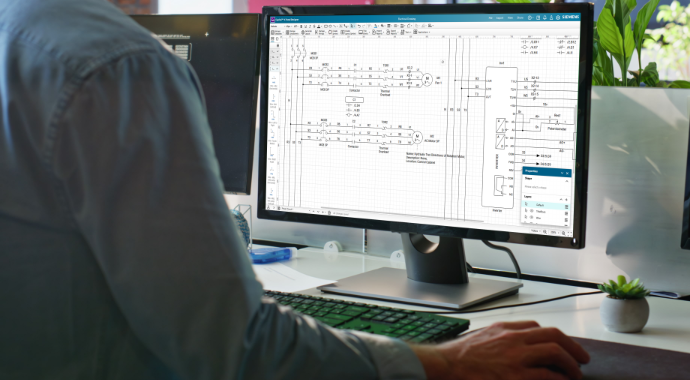
Complete the Workflow. All in One Ecosystem.
Beyond electrical schematics, the Advanced tier eliminates the walls between electrical and mechanical workflows. This unified approach bridges the gap between disciplines, offering a collaborative environment that maximizes productivity and enterprise-wide visibility.

Native Siemens ecosystem integration

Structured ECAD-to-MCAD data transfer

PLM-ready collaboration with Teamcenter
The Cost of Manual Data Transfer
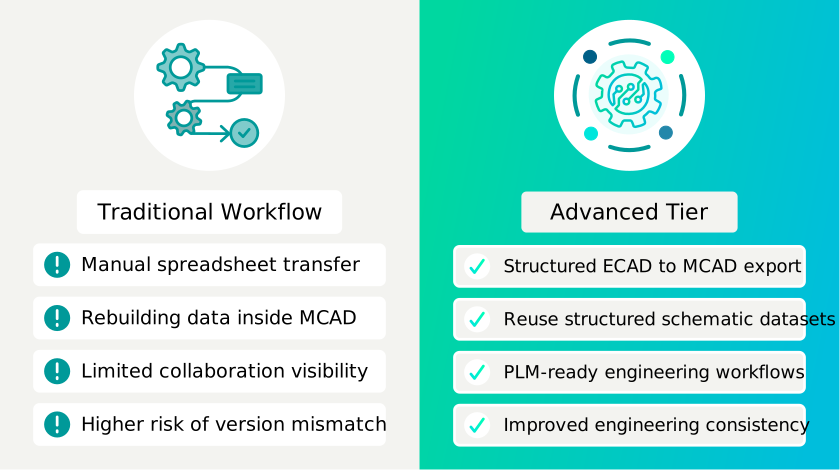
In standard workflows, the wall between electrical CAD (ECAD) and mechanical CAD (MCAD) engineering teams leads to significant hidden costs. When data is transferred via spreadsheet or manual re-entry, here are the potential risks:
⚠️ Version Mismatches
The mechanical team builds a panel based on an outdated BOM
⚠️ Data Silos
Electrical changes aren’t reflected in the PLM, leading to procurement errors
⚠️ Manual Cross-Checking
Engineers spend hours verifying the component tags in 2D matching the 3D model

Hence comes the unification of electromechanical workflow - How the Advanced Tier Supports Integrated Electromechanical Workflow
The Advanced tier extends panel design beyond drawing into structured engineering data exchange. By enabling export of schematic data and panel BOM information into formats recognized by Siemens design tools, engineering teams can reduce manual reinterpretation and support coordinated ECAD-MCAD workflows. The Advanced tier is defined by its ability to “speak” to the rest of your engineering suits, moving beyond drawing into data management.
Core capabilities for Integrated Workflows
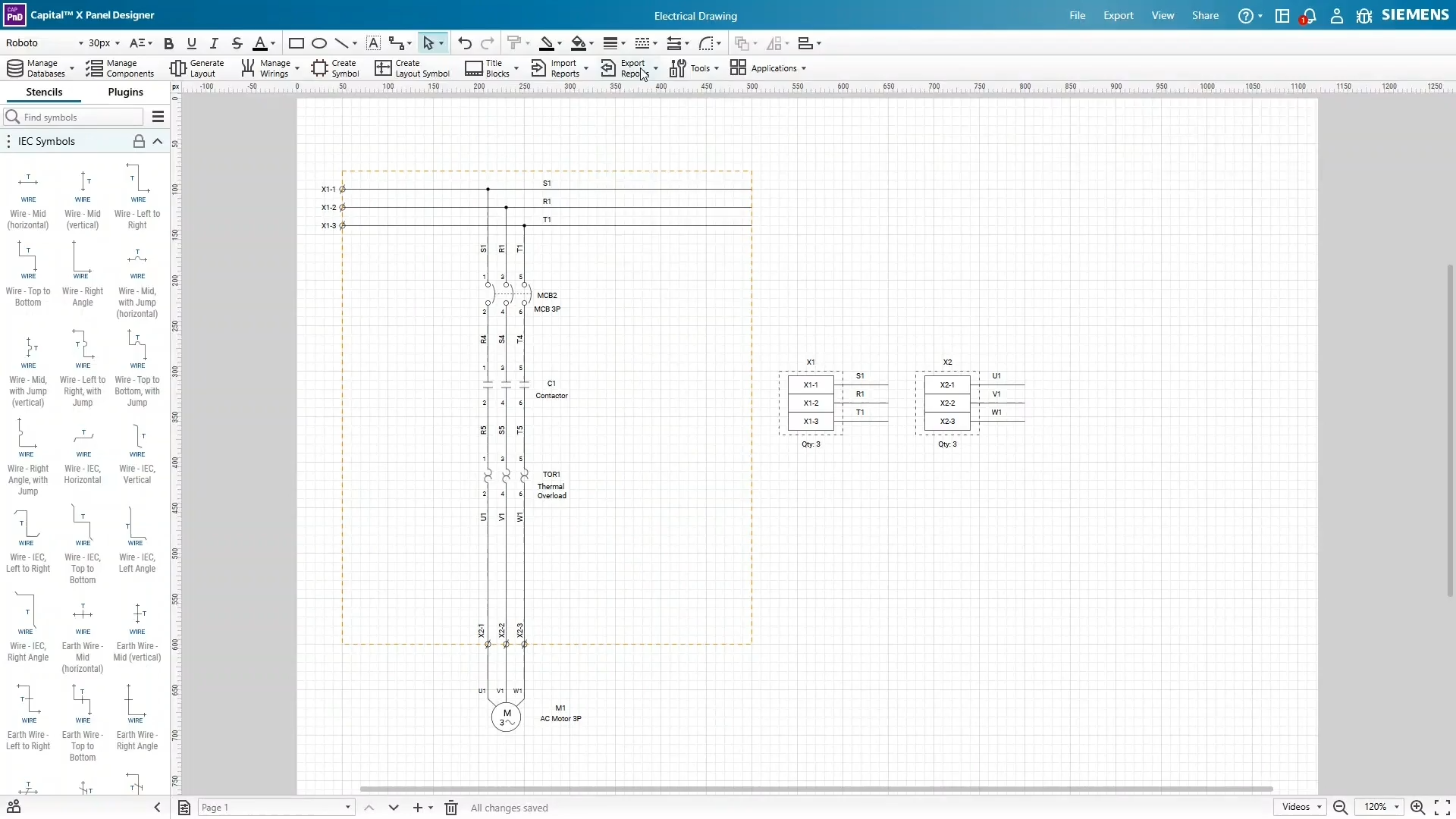
Direct export to Designcenter Solid Edge and Designcenter X
Stop "throwing designs over the wall." The Advanced tier allows you to export schematic data and panel BOMs into formats natively recognized by Designcenter Solid Edge and Designcenter X.
✅ Data Consistency - Ensure that the component tags, descriptions, and quantities in your 2D schematic match your 3D mechanical assembly.
✅ Reduced Manual Entry - Transfer device lists directly to the mechanical team to streamline 3D panel layouts and spatial planning.
✅ Ecosystem Compatibility - Work within a verified Siemens-to-Siemens workflow, ensuring file stability and data integrity.
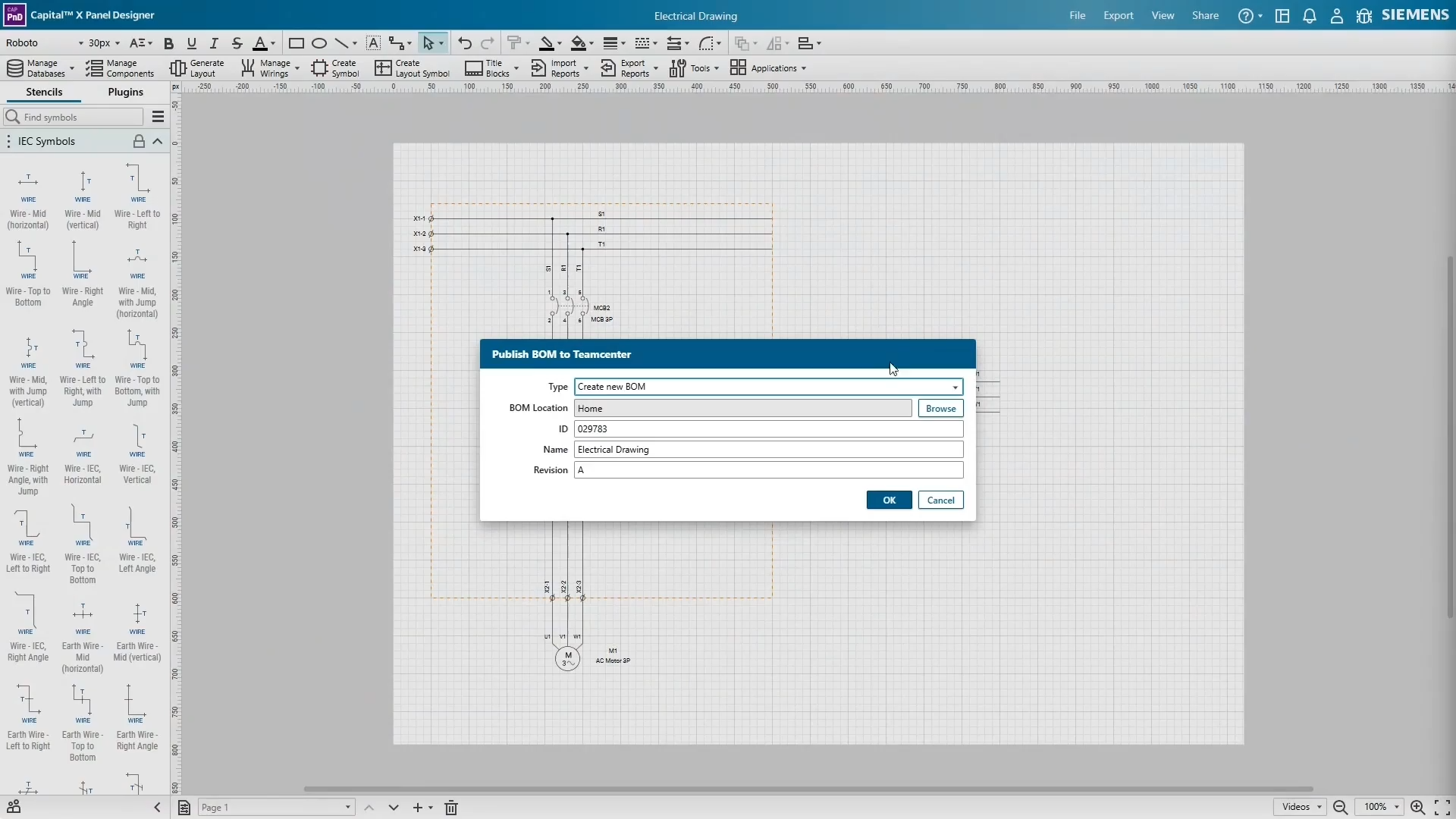
Enterprise Visibility via Teamcenter PLM
In the Advanced tier, your electrical design is no longer an isolated file on a local drive.
✅ Unified Source of Truth - Share electrical design data directly into Teamcenter so procurement, manufacturing, and mechanical teams access the same version-controlled information.
✅ Streamlined BOM Management - Export panel BOMs that are ready for PLM ingestion, reducing the risk of ordering incorrect parts or quantities.
Test drive Capital X Panel Designer FREE For 30 Days!
Accelerate your panel design workflow with Designcenter Solid Edge, Designcenter X, and Teamcenter. The Advanced tier unifies electrical and mechanical CAD workflows, improving collaboration and eliminating silos.
Start your 30-day free trial — available in Cloud or On-premise.
Advanced Tier vs Traditional ECAD MCAD Workflow
Bridging the MCAD-ECAD Divide
The Advanced tier removes the silos that hinder modern panel design. By enabling easy data transfer of schematic data from Capital X Panel Designer to Designcenter Solid Edge or Designcenter X, it creates a seamless data flow, minimizes error, contributes to accelerating time to market. This supports:

More consistent engineering datasets
Reduced cross-checking effort
Faster alignment between disciplines
Quick Comparison with Capital X Panel Designer tiers
| Feature | Advanced tierBuilt for engineers working across electrical and mechanical domains. Supports electromechanical co-design in the Siemens Xcelerator ecosystem. | Standard tierBuilt for teams that require hybrid access across cloud-native collaboration and on-premise privacy. Comes with additional features beyond electrical. | Essentials tierDesigned for electrical engineers requiring modern cloud capabilities for efficient schematic design and faster circuit completion. |
| Full featured | ✔ | ✔ | ✔ |
| Cloud-native collaboration | ✔ | ✔ | ✔ |
| On-premises installed version | ✔ | ✔ | |
| Electromechanical co-design (ECAD-MCAD) | ✔ | ||
| Data transfer with Teamcenter | ✔ | ||
| Pneumatic circuits | ✔ | ✔ | |
| Hydraulic circuits | ✔ | ✔ | |
| Piping and Instrumentation Diagram (P&ID) circuits | ✔ | ✔ | |
| Portal with millions of manufacturer components | ✔ | ✔ |
Explore our pricing plans and find out what Advanced brings you — all the features of Standard, plus integrations with Designcenter Solid Edge, Designcenter X, and Teamcenter.
Who Benefits?

Electrical Engineers
Export structured design data without manually recreating device lists for mechanical teams.

Mechanical Engineers
Receive consistent component information prepared from electrical schematics.

Engineering Managers
Improve visibility and coordination across electrical and mechanical workflows.
Electromechanical Codesign at a Glance
Beyond electrical schematics, this approach eliminates the walls between electrical and mechanical workflows. This unified approach bridges the gap between disciplines, offering a collaborative environment that maximizes productivity and enterprise-wide visibility.

- Electromechanical Codesign approach: Structured ECAD–MCAD collaboration workflow
- Primary workflow: Export-based ECAD (Capital X Panel Designer) to MCAD data transfer within Siemens Xcelerator ecosystem
- Supported environment: Designcenter Solid Edge, Designcenter X, Teamcenter
- Engineering focus: Maintain consistency between electrical schematics, panel BOMs, and mechanical assemblies
- Best suited for: Engineers managing ECAD-MCAD panel design workflows and electromechanical collaboration
Frequently Asked Questions (FAQs)
1. What is the main difference between Essentials, Standard, and Advanced?
The three tiers support different levels of engineering workflow complexity:
- Essentials - Cloud-native Electrical CAD with full browser-based access and real-time collaboration. Includes core design and automation capabilities with no installation required. Available as a flexible monthly plan, ideal for SMB engineering teams.
- Standard - Includes everything in Essentials, plus access to the on-premise version, hydraulic, pneumatic, and P&ID circuits, and millions of manufacturer-specific components, enabling greater flexibility and faster project completion. Our best-value plan.
- Advanced - Includes everything in Standard plus Electromechanical Codesign, enabling seamless collaboration between ECAD and MCAD workflows and supporting integrated cross-disciplinary engineering.
The key distinction is that Advanced supports cross-disciplinary ECAD–MCAD collaboration, while Essentials and Standard focus primarily on electrical engineering workflows.
2. Why should I choose the Advanced tier?
You should consider Advanced if your engineering workflow involves both electrical and mechanical domains. The Advanced tier is designed for teams that:
- Require structured ECAD to MCAD data transfer
- Work within the Siemens ecosystem
- Need alignment between electrical schematics, mechanical assemblies, and PLM systems
- Want to reduce manual reinterpretation between disciplines
If your panel design workflow requires coordination with Designcenter Solid Edge, Designcenter X, or Teamcenter, Capital X Panel Designer Advanced plan supports that integration.
3. How do I transfer electrical schematic data to MCAD software?
With the Advanced tier, you simply use the export function to generate a file that Designcenter Solid Edge or Designcenter X can read. This populates the mechanical environment with your electrical component data automatically. Learn more.
4. Can I use Capital X Panel Designer Advanced tier without Designcenter Solid Edge, Designcenter X, or Teamcenter?
Yes, you can use the Advanced tier for electrical design workflows without actively using Designcenter Solid Edge, Designcenter X, or Teamcenter.
However, access to these Siemens Xcelerator tools is required in order to utilize the electromechanical codesign capabilities offered by Advanced.
5. Is a free trial available?
Yes, all Advanced features are available on our 30-day free trial. To test the Advanced integration features, you'll need access to Designcenter Solid Edge, Designcenter X, and Teamcenter. Note that Teamcenter requires setup on your end, please refer to this help page for setup instructions.
6. Who should consider the Advanced tier?
Capital X Panel Designer Advanced tier is best suited for mechanical engineers who also require electrical and panel design workflows, electrical engineers working with mechanical CAD teams, cross-disciplinary teams that require ECAD-MCAD alignment, and engineering teams using Siemens Xcelerator tools.
If your workflow includes both electrical schematics and mechanical CAD workflows, Advanced supports structured collaboration between domains.
7. Where can I learn more about Capital X Panel Designer Advanced tier?
You can explore our resource pages such as benefits page, video page, blogpost, and help page for the latest updates. We highly encourage participation in our Community Page to exchange best practices, ask questions, and engage with other engineers too.
Built for Efficient Electromechanical Codesign
Strengthen your ECAD-MCAD workflow today with Capital X Panel Designer Advanced plan.